Games & utilities · Python
Smaller builds
Games, desktop tools and command-line programs I wrote in Python, with demos for the ones I have recorded.
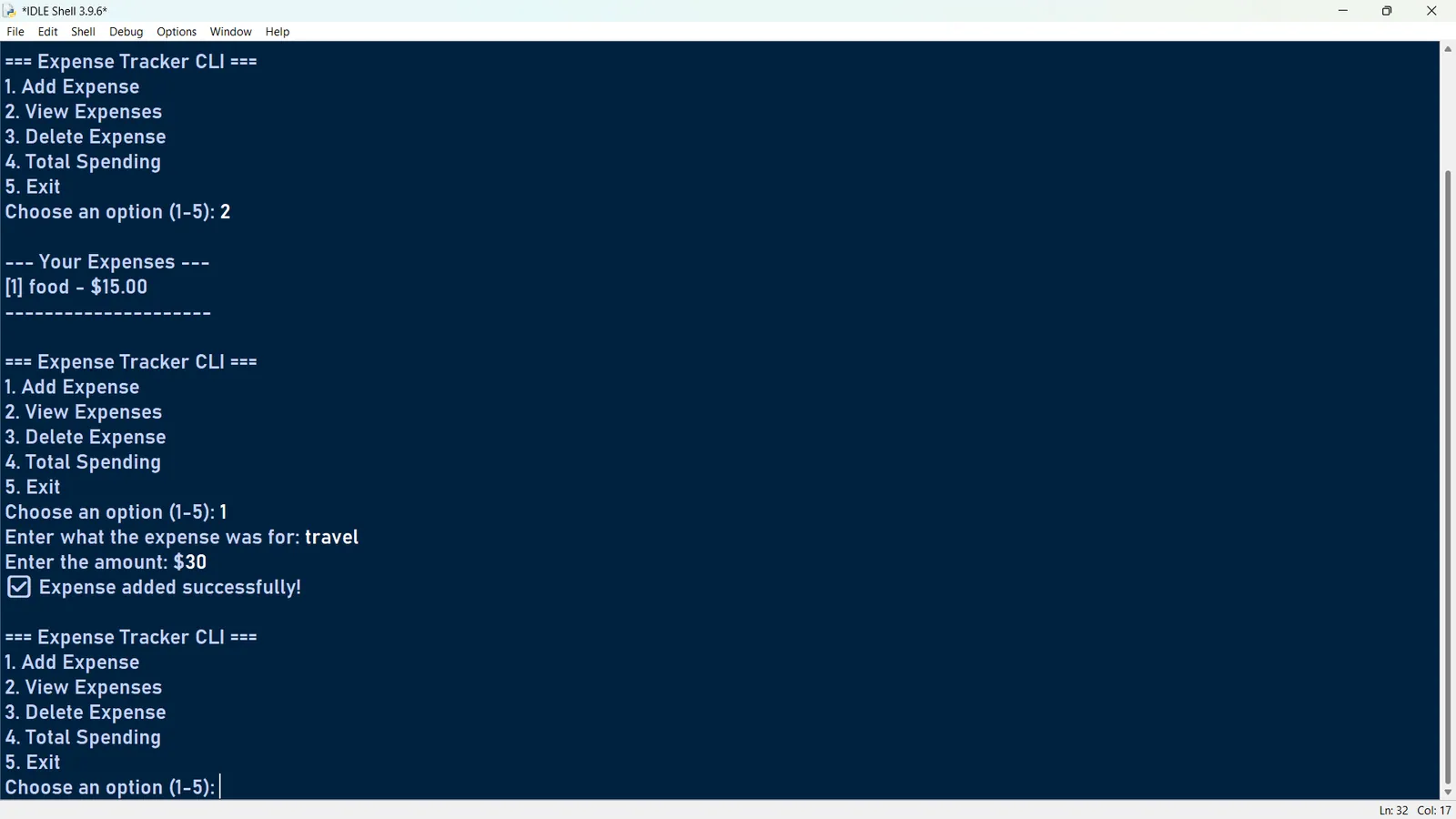
Expense Tracker
Python
A command-line expense tracker that saves to a JSON file: add an expense, list them all, delete one and total your spending.
Smart Inventory Manager
CustomTkinter
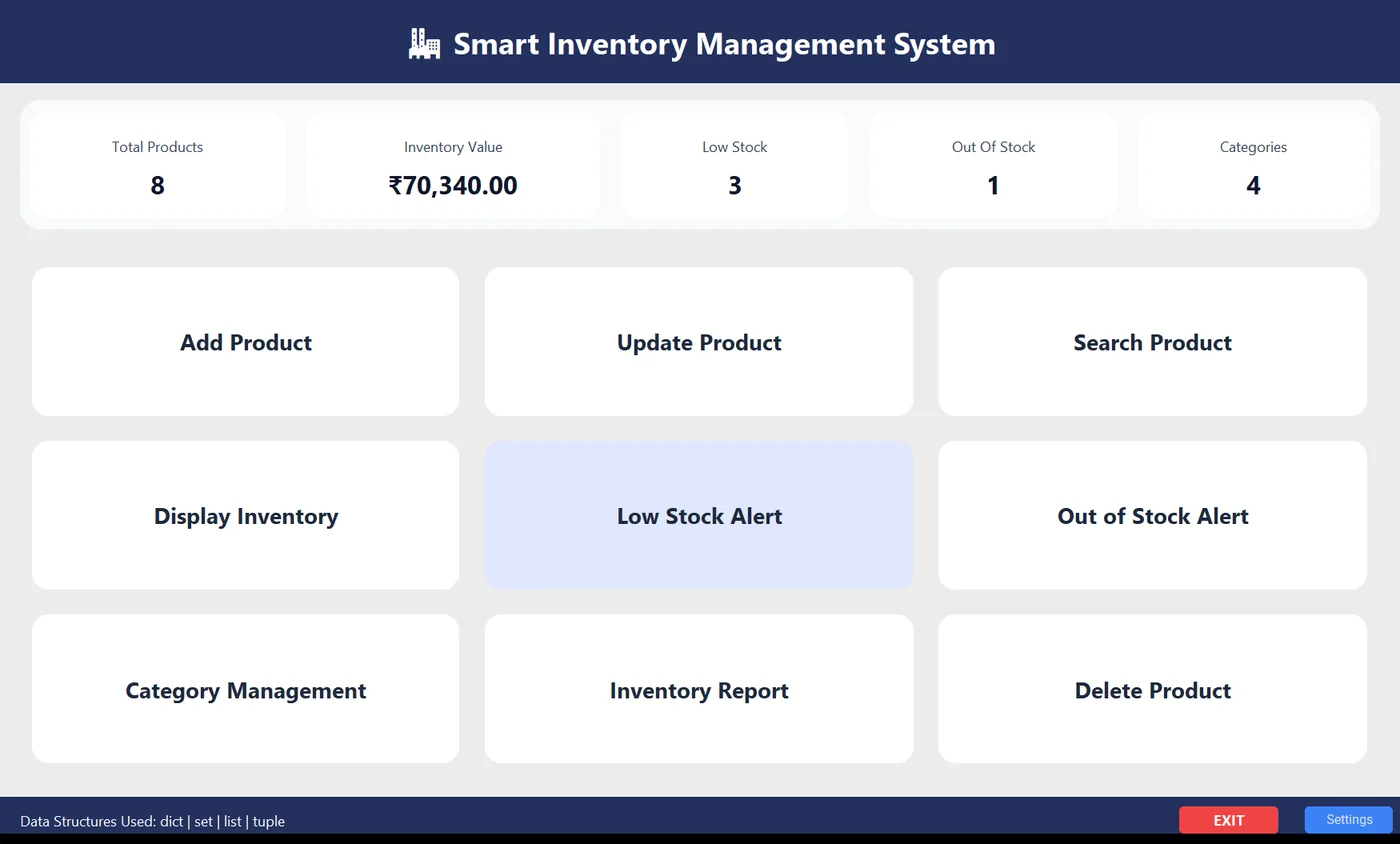
A desktop inventory manager in CustomTkinter, written as one of my internship tasks: a live dashboard with stock value in rupees, search with a price range, sortable tables, low-stock alerts at a threshold you set, a category report with a bar chart, and CSV import and export.
Pong: AI Edition
Pygame
Pong in Pygame at 60 FPS: play an AI paddle or a friend on one keyboard, set your own winning score, and aim your shots, because where the ball hits the paddle sets its angle.
Connect 4 vs AI
Python
Connect Four in Tkinter against a friend or an AI with Easy, Medium and Hard levels, with animated drops, a preview of where your piece will land, undo, save and load, and lifetime win statistics.
Tic Tac Toe
Tkinter
A dark-themed Tic Tac Toe whose AI uses the Minimax algorithm, so it never loses, plus a 2-player mode and a live scoreboard.
Snake
Turtle
The snake grows every time it eats, and hitting a wall or its own body ends the run. The score resets, but the high score stays.
Simple Calculator
Python
Add, subtract, multiply and divide in a loop, with clear handling of division by zero and of letters typed instead of numbers. It also ships as a Windows .exe.
Scientific Calculator
CustomTkinter
A dark-mode scientific calculator with trigonometry and its inverses, logarithms, powers, roots, factorials, π and e, degree and radian modes, and keyboard input. It reads each expression with Python’s ast module instead of eval, so only whitelisted maths can run.
Toll Plaza Manager
Python
My Class 12 project at Sainik School Bhubaneswar, built with my classmate, bench mate and best friend Suman Kumar Behera in about a month of spare moments between classes and evening study. A console app to add, update and remove toll plazas, with toll rates by vehicle type, a duplicate-name check and a table with a rupee total.
Want to talk about this project?
I'm open to data internships, projects and hackathon teams.
More projects
- Smart Toll Plaza Management & GIS Command CenterAn NHAI-style toll operations prototype: live number-plate recognition, a Pan-India plaza map and role-based reporting.
- VANTAGE: ZEROA voice-controlled 3D combat flight game that runs in the browser.
- GOD VIEWAn open-source-intelligence digital twin: live flights and satellites on a 3D globe, linked in a knowledge graph.
- UNSPOKENA chest-mounted wearable that helps visually impaired users sense obstacles and lets non-verbal users speak through gestures.
- ANUMATIA regulatory-clearance engine that models business licences as a dependency graph.
- Student Attendance Management SystemA multi-role desktop app where students check in by scanning a QR code on their phone.
- India's toll network, in dataData analysis of 2,003 Indian toll plazas with Python, SQL and Excel.
- VECTORA 3D flight game I built by voice dictation with Wispr Flow. It began as an air-traffic-control simulator played with spoken ATC commands.
- Face-scan Verification & Fraud ConsoleTwo team builds. One finds where a face shows up online and anchors a SHA-256 fingerprint on Solana; the other is an agentic console that investigates card fraud over TigerGraph.
- MindEaseA stress-management idea for college students, and my first hackathon. We prototyped a 10-question stress self-check with scoring.